Change Squarespace date format universally
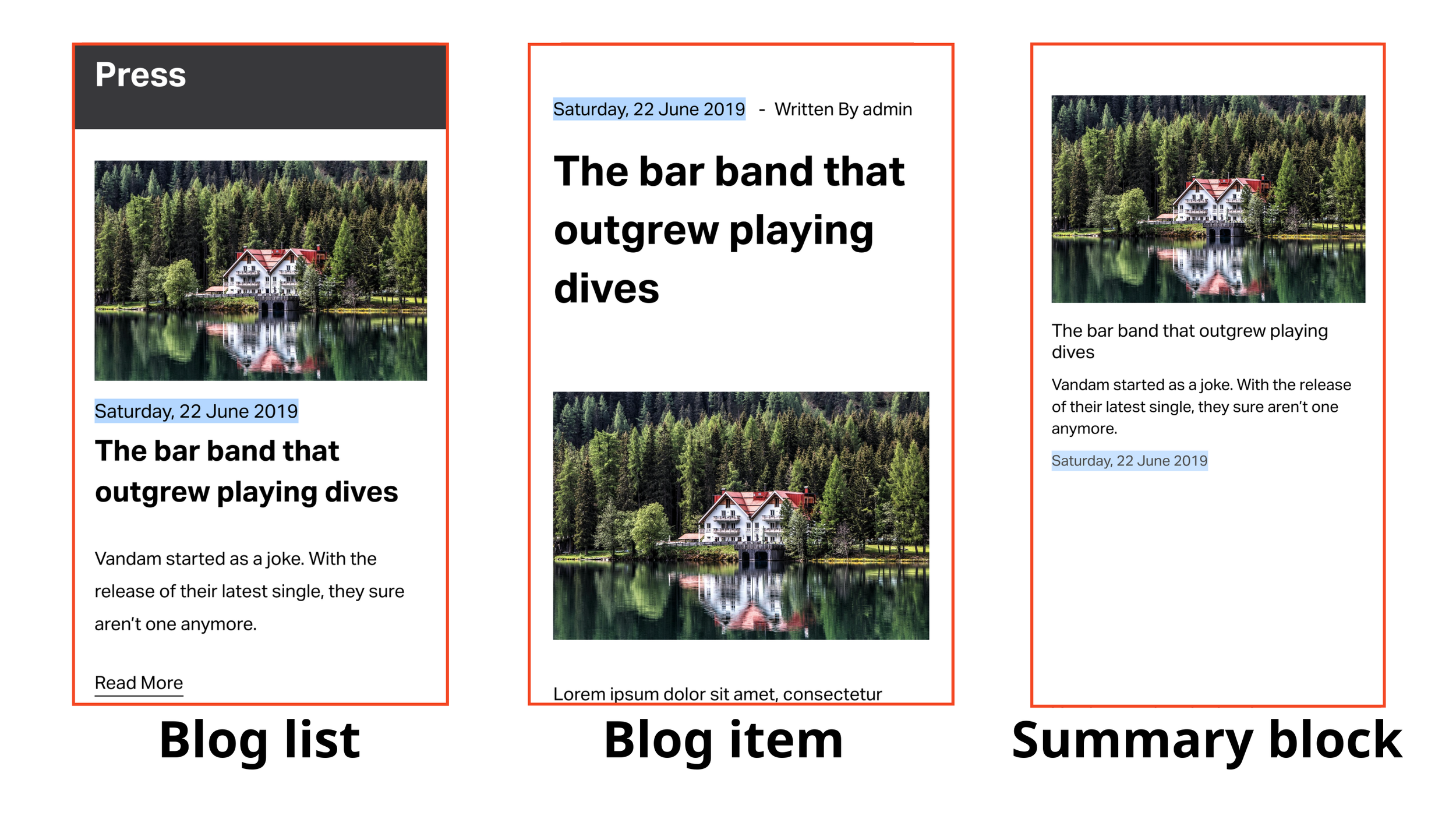
Unified Squarespace date format
Install and manage Squarespace date format via Ground Control
Free plugin for Squarespace date format unification
Squarespace supports displaying blog posts Published date on various places: Blog list, Blog post or Summary block. While Squarespace allows changing localization, the date format in blog posts varies and can be incorrect. There's no built-in method to customize it universally, Beyondspace provided a method to unify the publication date format across your site and support to change the date format that you need.
At the moment, only the Squarespace blog date format can be altered using this Squarespace plugin, we will support event date format in the later phase.
OP can be found on Squarespace forum
The script supports multilingual websites out of the box, Weglot website will not be supported as Weglot provides its own mechanism for converting date format based on selected locale. Note that to auto-display different locales you have to choose Localized format, as shown in the table below. For example:
/es/home: will display spanish locale
/en/home: will display english locale
How to Install & Manage
Squarespace Date Format plugin is now integrated into Ground Control, allowing you to manage your site's date appearance visually without touching code.
1. Open Ground Control
Access your Squarespace dashboard and click the Ground Control icon in the top-left corner. If you haven't installed the hub yet, you can get Ground Control for free here.
2. Activate Date Format
Locate Date Format in the Plugins section. Toggle the switch to On to enable the plugin globally across your site.
3. Customize Visually
Click the gear icon next to the plugin to open the settings panel. From here, you can:
Choose your format: Select from standard or custom date strings.
Change locale
Instant Update: Your changes are applied across all blog posts and events immediately—no manual Footer injection required.
Date format tokens
Below tables provide explanation for the blog date format tokens and some common localized formats (the format that will generate the correct date output for your current locale)
Date format tokens
| Format | Output | Description |
|---|---|---|
YY | 18 | Two-digit year |
YYYY | 2018 | Four-digit year |
M | 1-12 | The month, beginning at 1 |
MM | 01-12 | The month, 2-digits |
MMM | Jan-Dec | The abbreviated month name |
MMMM | January-December | The full month name |
D | 1-31 | The day of the month |
DD | 01-31 | The day of the month, 2-digits |
d | 0-6 | The day of the week, with Sunday as 0 |
dd | Su-Sa | The min name of the day of the week |
ddd | Sun-Sat | The short name of the day of the week |
dddd | Sunday-Saturday | The name of the day of the week |
H | 0-23 | The hour |
HH | 00-23 | The hour, 2-digits |
h | 1-12 | The hour, 12-hour clock |
hh | 01-12 | The hour, 12-hour clock, 2-digits |
m | 0-59 | The minute |
mm | 00-59 | The minute, 2-digits |
s | 0-59 | The second |
ss | 00-59 | The second, 2-digits |
SSS | 000-999 | The millisecond, 3-digits |
Z | +05:00 | The offset from UTC, ±HH:mm |
ZZ | +0500 | The offset from UTC, ±HHmm |
A | AM PM | |
a | am pm |
Localized format
| Format | English Locale | Sample Output |
|---|---|---|
LT | h:mm A | 8:02 PM |
LTS | h:mm:ss A | 8:02:18 PM |
L | MM/DD/YYYY | 08/16/2018 |
LL | MMMM D, YYYY | August 16, 2018 |
LLL | MMMM D, YYYY h:mm A | August 16, 2018 8:02 PM |
LLLL | dddd, MMMM D, YYYY h:mm A | Thursday, August 16, 2018 8:02 PM |